
Send us the paper version and we will question every field before we rebuild it. Forms grow boxes over the years that nobody reads any more, and a fillable PDF is the moment to lose them. The result is shorter, clearer and far more likely to come back complete.
Fillable PDF forms
Filled in on screen, not in biro.
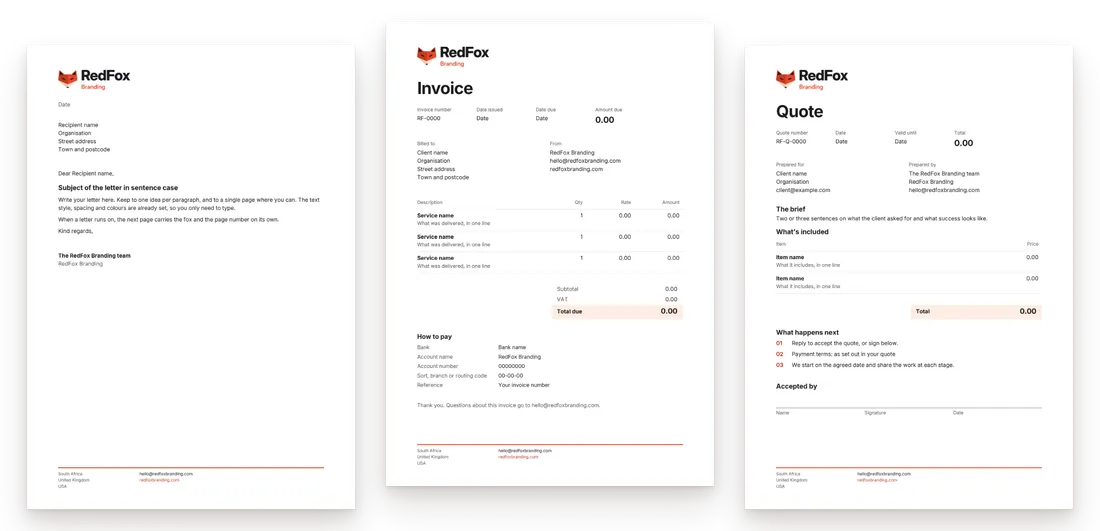
Fillable PDF forms let people type answers, tick boxes, pick from lists and sign, then return the form by email. We design and build yours.
Kinds
Which forms work best as fillable PDFs?
Apply
Application and registration forms
Membership, admissions, job applications, supplier registration and account opening, with the right field for every answer.
Book
Booking and order forms
Venue hire, course places, event stands and wholesale orders, with totals that calculate as the buyer types.
Ask
Questionnaires and surveys
Client intake, onboarding, feedback and research questionnaires, designed so people finish them.
Agree
Consent and sign-off forms
Medical consent, photo permissions, risk assessments and timesheets, with a signature field and a date.
Fields
What goes into PDF form design?
A form is a conversation with someone who cannot ask you a question. Every field has to explain itself.
- Text fields that fitSized for the answer expected, so a postcode box takes a postcode and a comments box takes a paragraph.
- Tick boxes and radio buttonsTick boxes where several answers are allowed, radio buttons where only one is, and never the other way round.
- Drop-down listsCountries, branches, products or job titles chosen from a list, so the data comes back clean.
- CalculationsQuantities times prices, running totals and tax, worked out in the form rather than by the reader.
- Date and signature fieldsA date picker for dates, and a signature field that accepts a typed, drawn or certificate-based signature.
- A tab order and labelsFields that follow in reading order, each with a tooltip, so the form works for keyboard and screen-reader users.
How it runs
How do we build a fillable form?
List the questions
We go through what you need to know and why, cut anything you never use, and group the rest into sections.
Design the page
Laid out in your brand at A4 or US Letter, so the same form works printed and on screen.
Add the fields
Every field named consistently, with its type, format, limit and tab order set, then the calculations and the submit button.
Test and hand over
Tested in the free Acrobat Reader on Windows, Mac and phones, then supplied with a version you can print blank.
Questionnaires
What makes a questionnaire design work?
People finish short questionnaires that ask one thing at a time, in an order that makes sense, with the easy questions first. Each question is worded so it can only be read one way, the answer scales are consistent, and the form says how long it takes and what happens to the answers.
We build intake forms, onboarding questionnaires, feedback forms and research surveys as fillable PDFs, or as forms on your website where answers should land straight in a spreadsheet. Our customer surveys service covers the question writing and the analysis.
Profiles & documents
Related services
Questions
Questions about fillable PDF forms
Question not here? Send it to us and we will answer it directly.
Ask a questionHow do we commission a form?
Email hello@redfoxbranding.com or describe the form through the project form, attaching the current version, even if it is a Word document or a scan. We reply with a fixed quote per form. If you have several, send them all; forms that share a header and a field style are quicker to build as a set.
What software do people need to fill the form in?
The free Adobe Acrobat Reader on a computer or phone. Most forms also open in a web browser’s own PDF viewer, though signature fields and calculations are less reliable there, so we test in Reader first and tell you which features need it. Adobe’s guide to PDF forms explains the differences.
Can the completed form be emailed back automatically?
Yes. A submit button can open a new email with the completed PDF attached and addressed to you, and the form can be set so that Reader users save their answers. The data from returned forms can also be exported into a spreadsheet, so a hundred registrations become one table rather than a hundred attachments.
Are the forms accessible?
We build them to be. Every field gets a label that screen readers announce, the tab order follows the reading order, colours meet contrast guidelines and the document is tagged. If a form must meet a published standard, such as PDF/UA for public bodies, tell us at the start and we build and check to it.
Replacing a paper form?
Get a quote for fillable PDF forms
Send the forms you want rebuilt, or a list of the questions each one has to ask, and tell us whether people will type, sign or print them. We reply with a fixed quote in pounds, rand or dollars, each form priced on its own. Your fillable PDF forms begin once you approve it.